LifeGoals · Workout planning
Your workout plan. Your next sessions.
A workout plan gives you a clear set of exercises before your next session. In LifeGoals, you organise training days and record what you actually complete during a workout. Your nutrition tracker and AI coach are available in the same app.
Plans and availability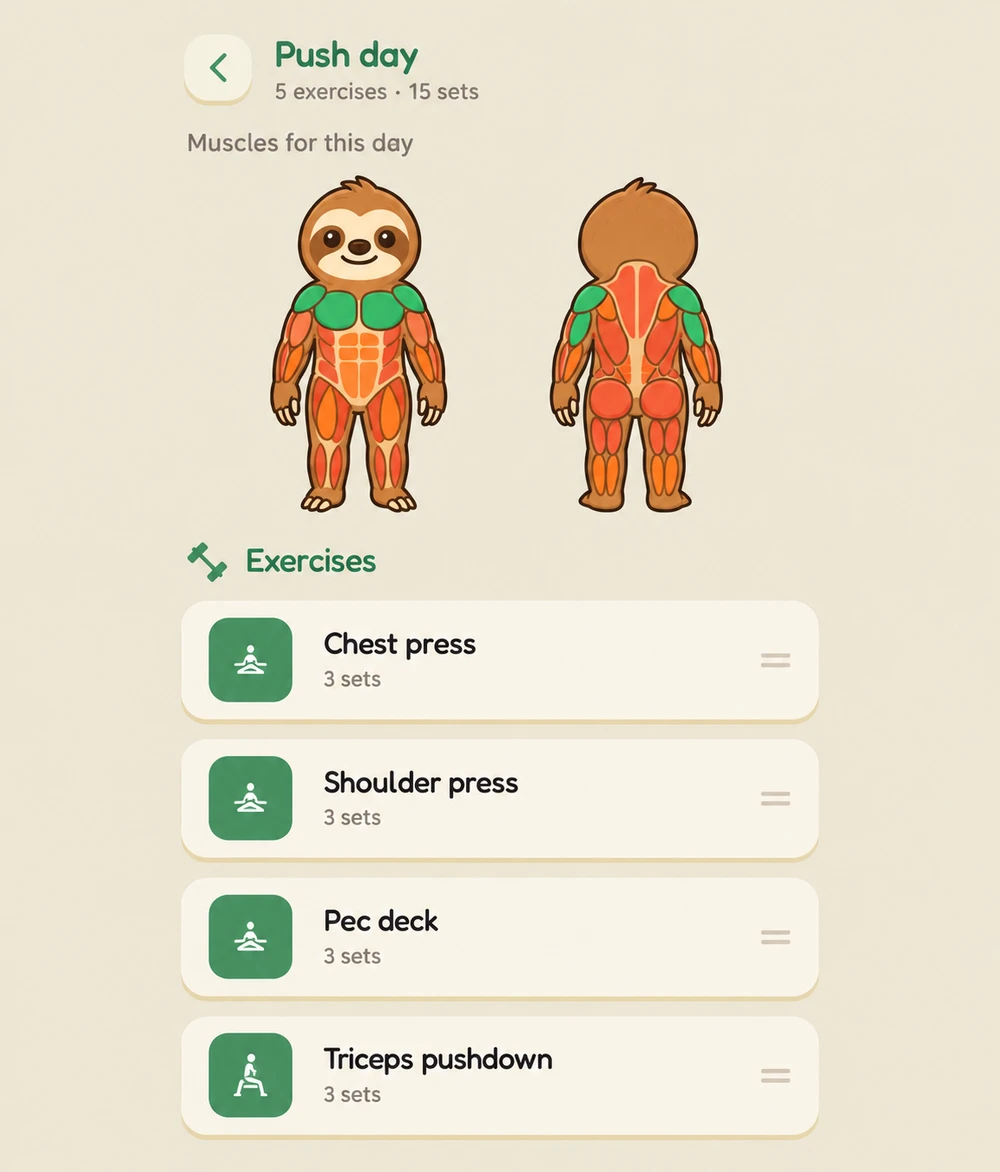
From a workout plan to a training log
Organise your training days
Add exercises to the days in your plan. Each training day has its own routine that you can return to for your next session.
Review exercises and target muscles
Choose exercises for your plan and use the exercise details for guidance. The muscle view shows which areas an exercise or training day targets.
Log your sets during a workout
Record the reps and weight for each set. Your workout history then shows the sessions you logged, rather than just the routine you originally planned.
Workout planning and logging together
A planned set and a completed set are different things. LifeGoals connects your plan with your workout log. You can review earlier sessions and discuss exercises or changes to your plan with your AI coach.
Can I build my own workout plan?
Yes. You can choose exercises and training days yourself. The AI coach is an additional way to discuss your plan; you do not need it for every entry in your workout log.
More from the LifeGoals app
LifeGoals on your smartphone
LifeGoals hasn’t launched yet. You’ll find the download here when the app is released.
Coming soon